Ante

Data migration, made visual

Move data between any two systems — without writing glue code.

Ante connects REST APIs, CSV and Excel files. Wire fields on a canvas, preview every payload before it is sent, watch runs live and stop them the moment you need to.

  • REST APIs
  • CSV & Excel
  • OAuth2, API keys, JWT
  • Nested JSON objects
  • 8 languages
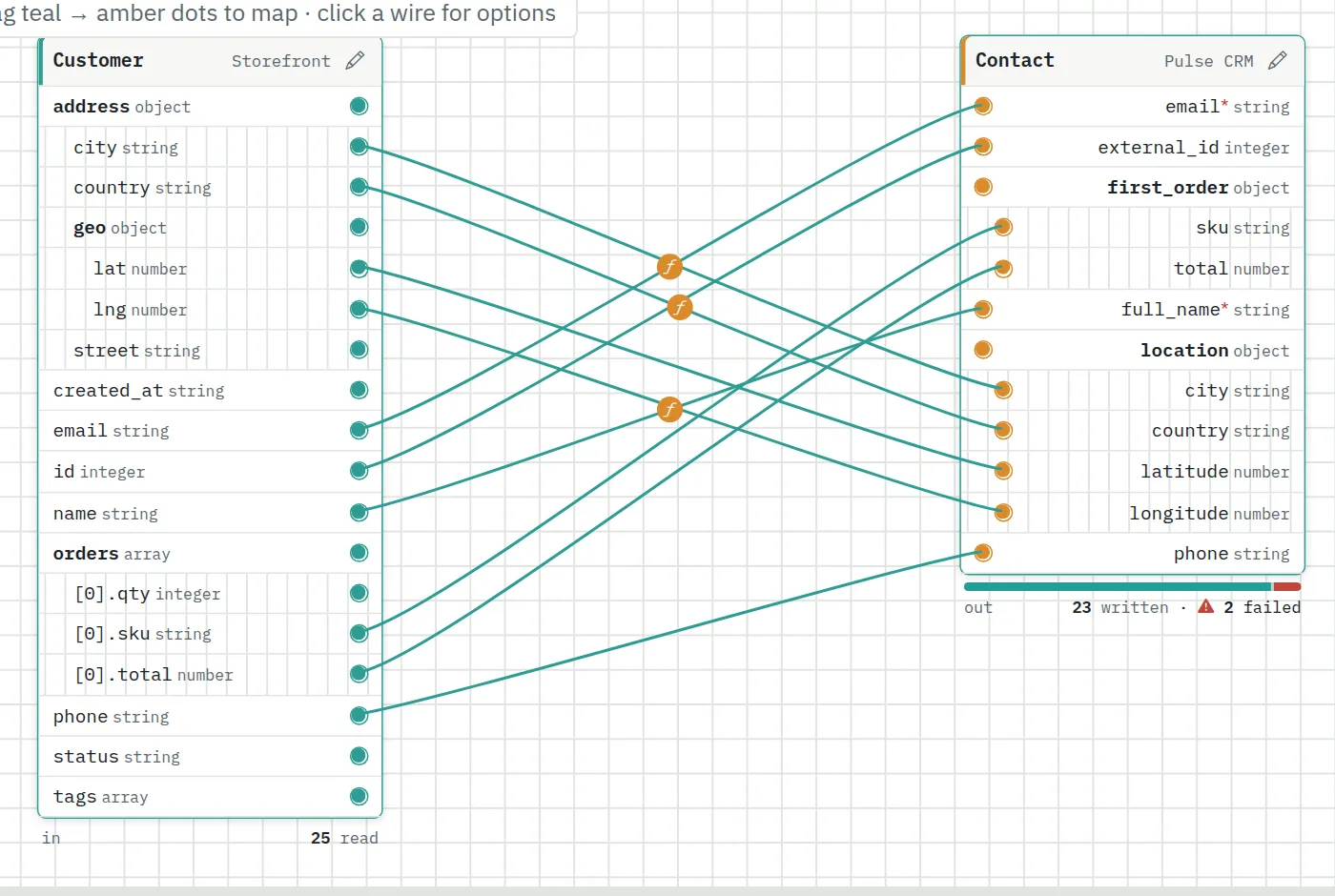
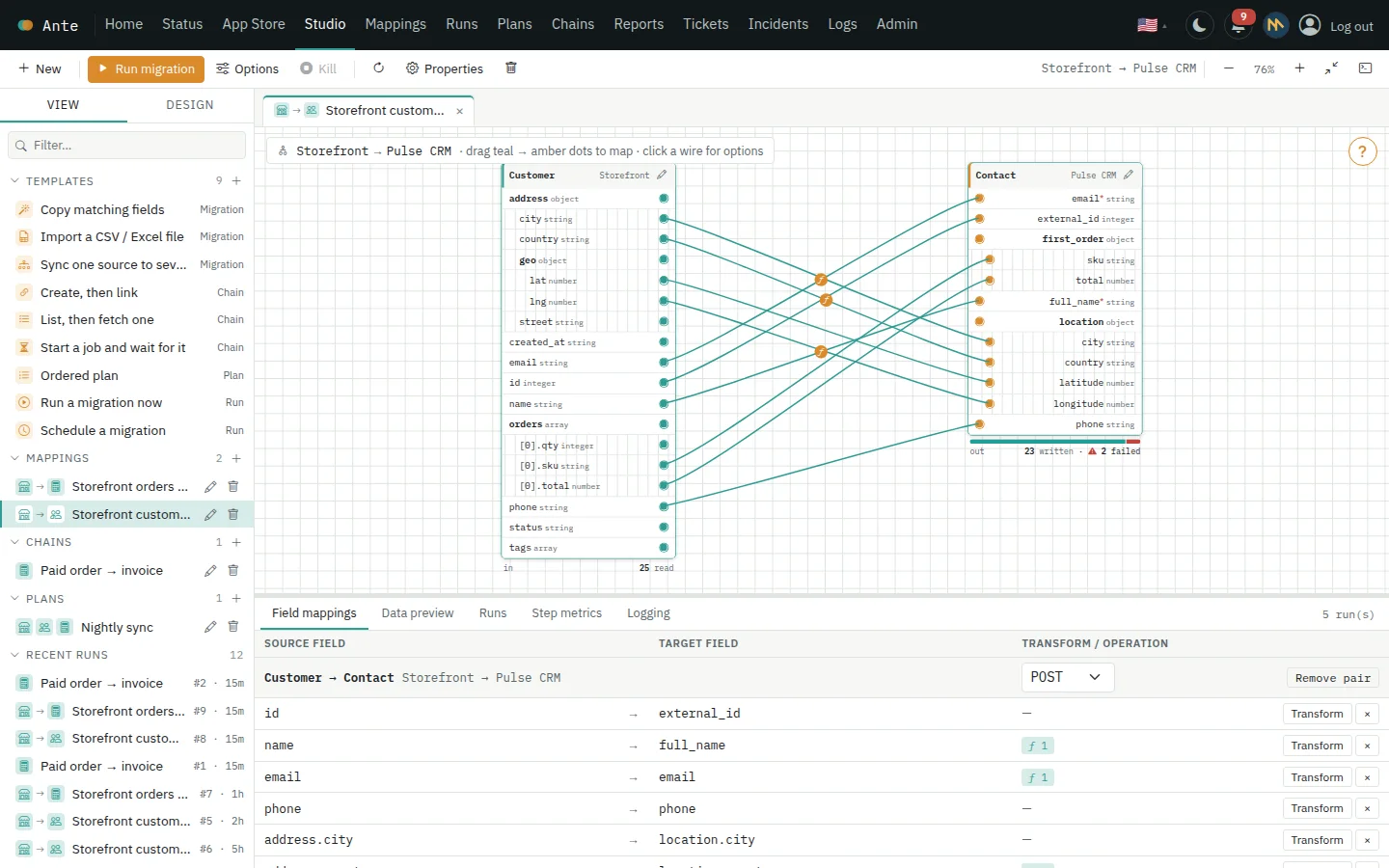
The Ante Studio: a customer object mapped field by field onto a CRM contact

Map

Drag a field onto another to connect them — transforms included.

Preview

See the exact data that would be sent, before anything is written.

Run

Start now, schedule it, or chain it into a plan of many steps.

Watch

Live progress, run history, alerts — and a Kill button.

Features

Everything a data flow needs, in one workspace

From the first field you connect to the last notification you receive.

Studio

One workspace for mappings, chains, plans and runs

Open everything you build in tabs, side by side with its run history and live log. Drag fields, steps and blocks around a canvas instead of editing configuration files.

  • Explorer, tabs and a results panel that follows what you have open
  • Zoom, pan and fit-to-screen controls, with a built-in cheat sheet
  • Every system shows its own logo, so flows read at a glance
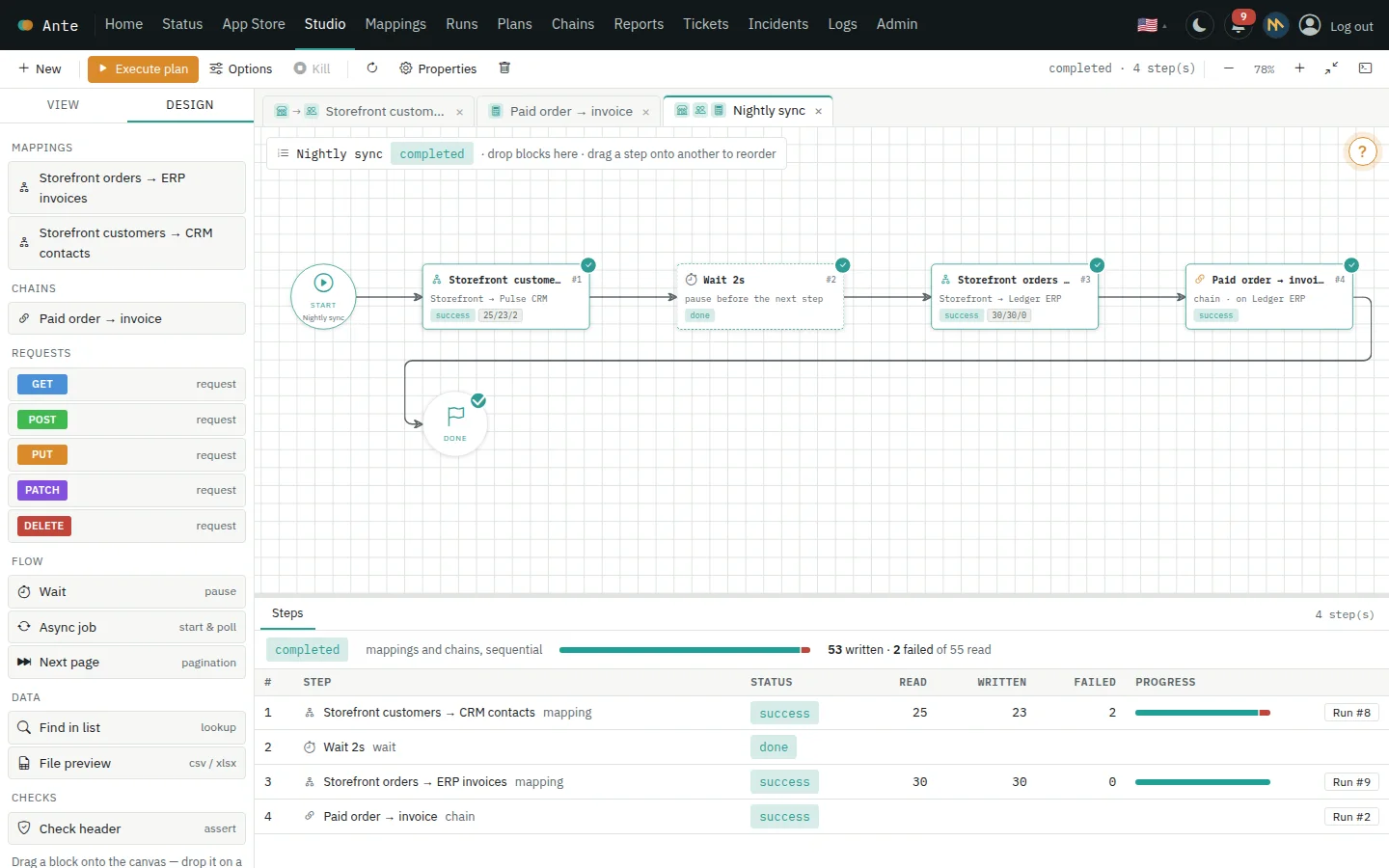
A plan in the Studio: two mappings, a pause and a chain run in order
Nested data

See — and map — the entire object

Real APIs return objects inside objects. Ante unfolds them completely, so you connect exactly the field you mean: an address, a coordinate, the first item of an order.

  • Every level of an object is listed and can be wired on its own
  • Objects discovered flat unfold themselves when you place them on the canvas
  • Destination payloads are built with the same nested shape your API expects
Nested fields such as address, geo and orders drawn as an indented tree with wires to the destination
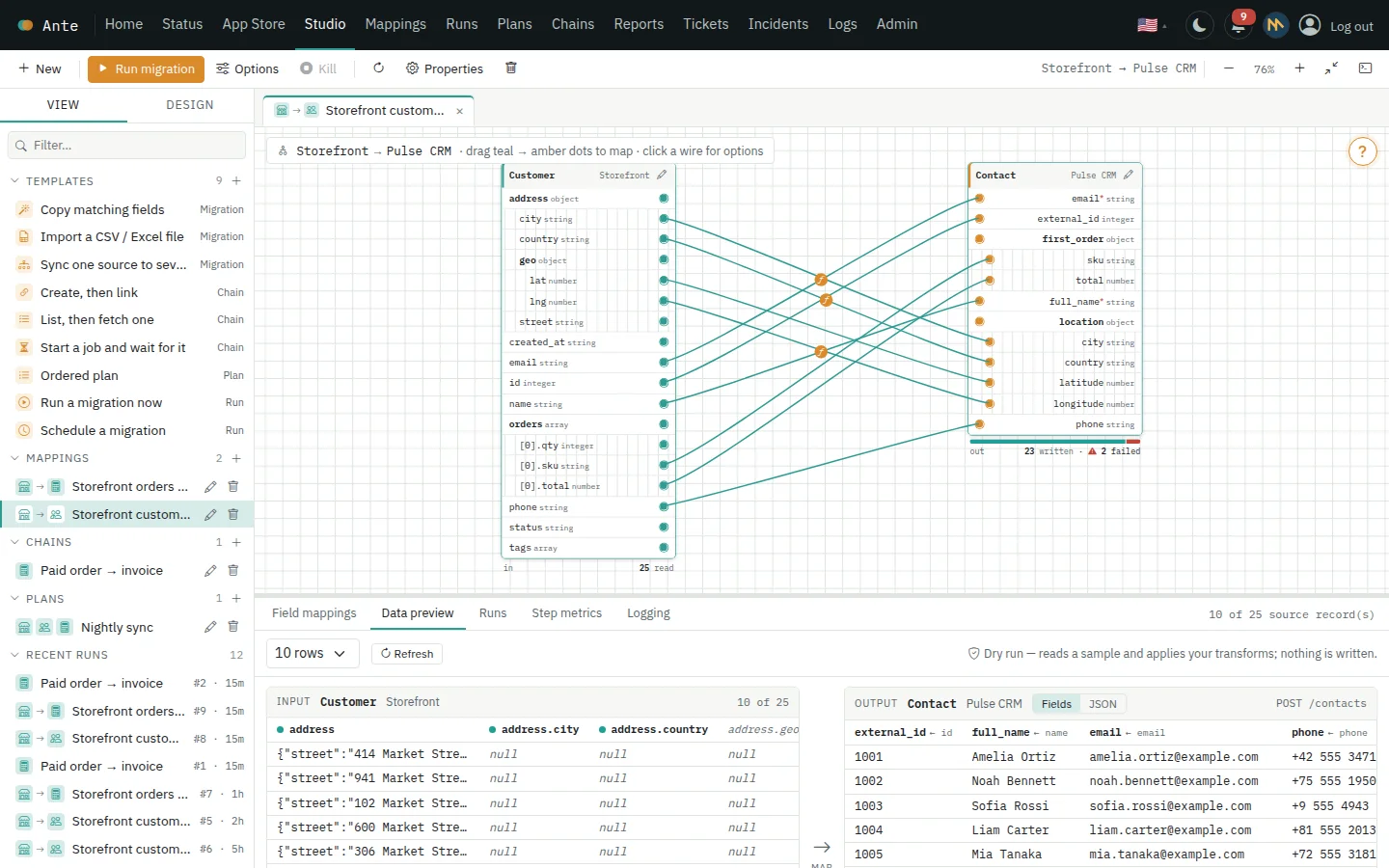
Data preview

Preview every payload before you send it

A dry run reads a real sample from the source and applies your transforms — then shows the input and the exact output side by side. Nothing is written until you press Run.

  • Transformed cells are flagged, unmapped columns are dimmed
  • Switch between a table and the raw JSON that will be posted
  • Trim, upper and lower case, value maps and fallbacks — no code needed
Data preview showing source rows next to the payloads that would be written
Chains

Script multi-step API workflows

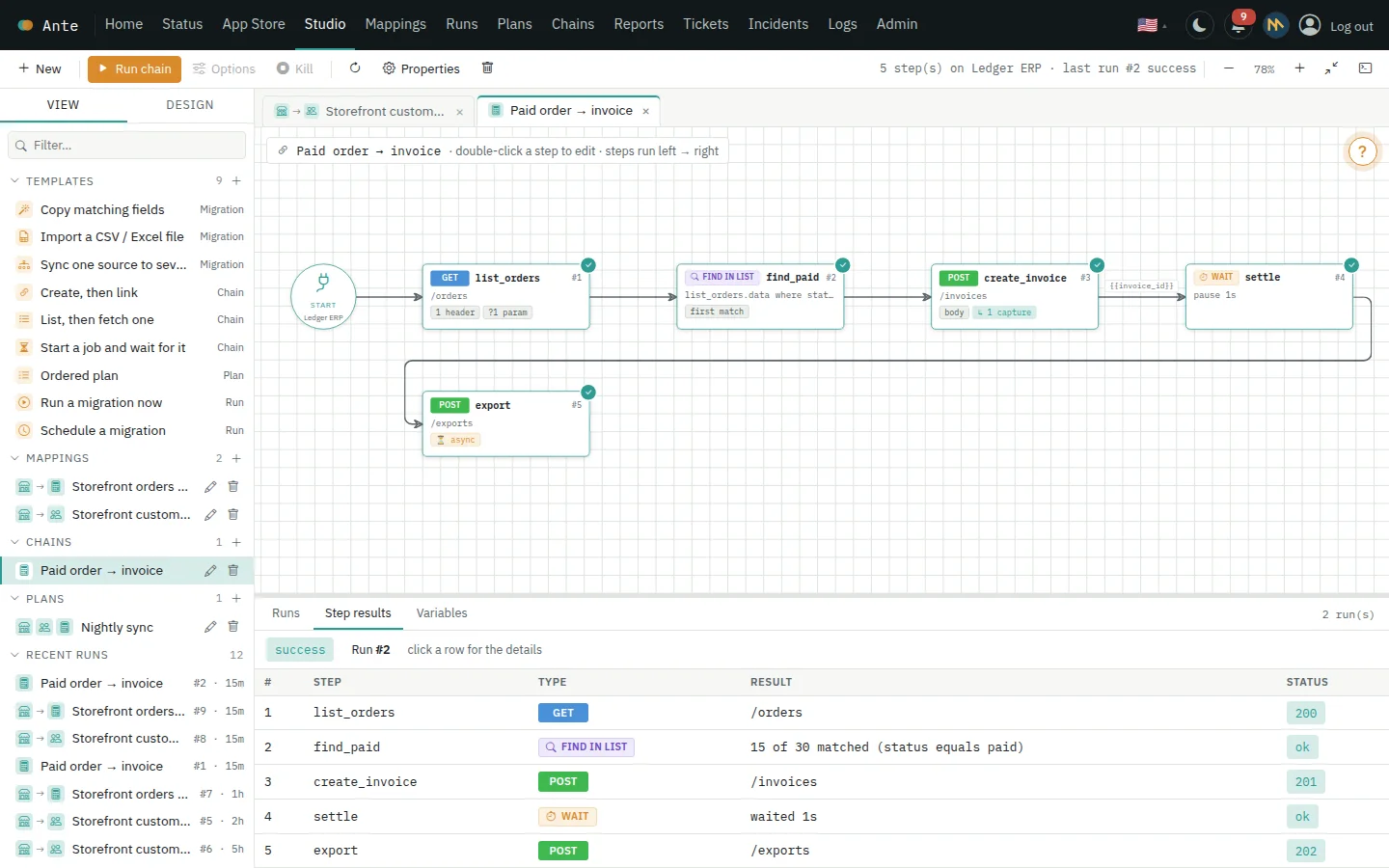
When a copy is not enough, chain calls together: create a record, use its new id in the next request, wait for a long job to finish, page through results and search what came back.

  • Async jobs that poll until done, next-page loops and find-in-list steps
  • Headers, query parameters and captured values on every request
  • Each step shows its request, response and what it captured
A chain of five steps with a tick on each and the step results underneath
Plans & custom runs

Build a run by drag and drop

Drop mappings, single entity pairs, chains and pauses onto a canvas and run them in order — now or on a schedule. Function blocks share data, so one step can use what an earlier one returned.

  • Schedule a run, cap its request rate, or feed it input files
  • Run only some entity pairs of a mapping
  • Stop everything with one Kill button — written records stay written
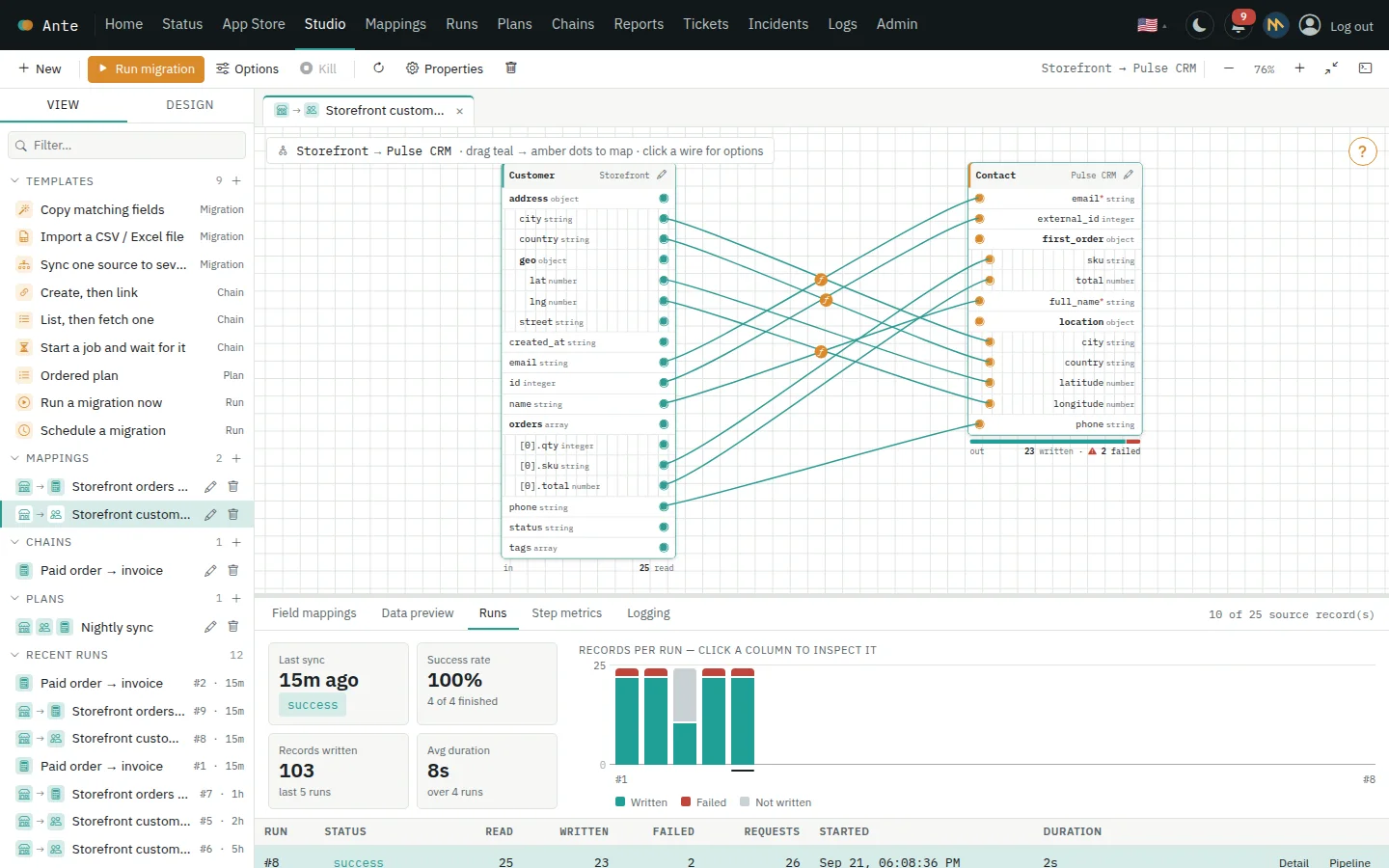
Run health dashboard with a column per run, success rate and records written
Live runs & notifications

Know the moment something finishes

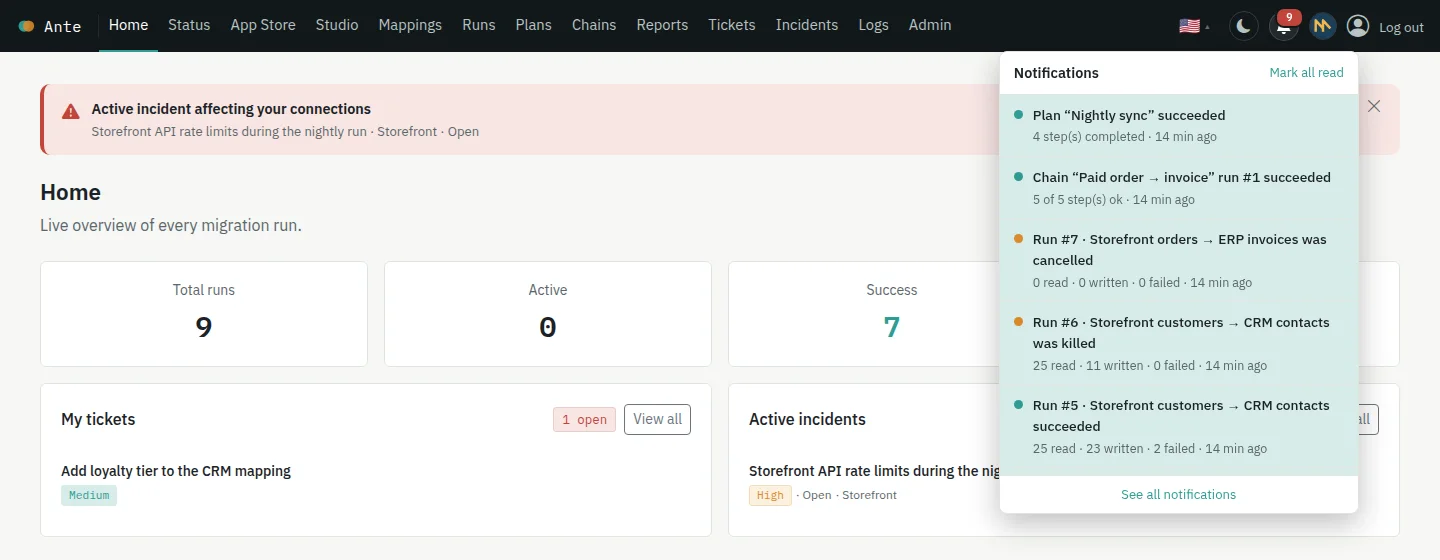
Every run, chain, plan and scheduled job tells you how it ended: succeeded, failed, cancelled before it started, or killed while running — with the numbers and a link to the details.

  • A bell with an unread count, and a full history you can filter
  • Per-run health: records read, written and failed, and how long it took
  • A live requests-per-second counter while a migration is running
The notification bell open, listing succeeded, cancelled and killed runs
Templates

Start from a recipe, not a blank page

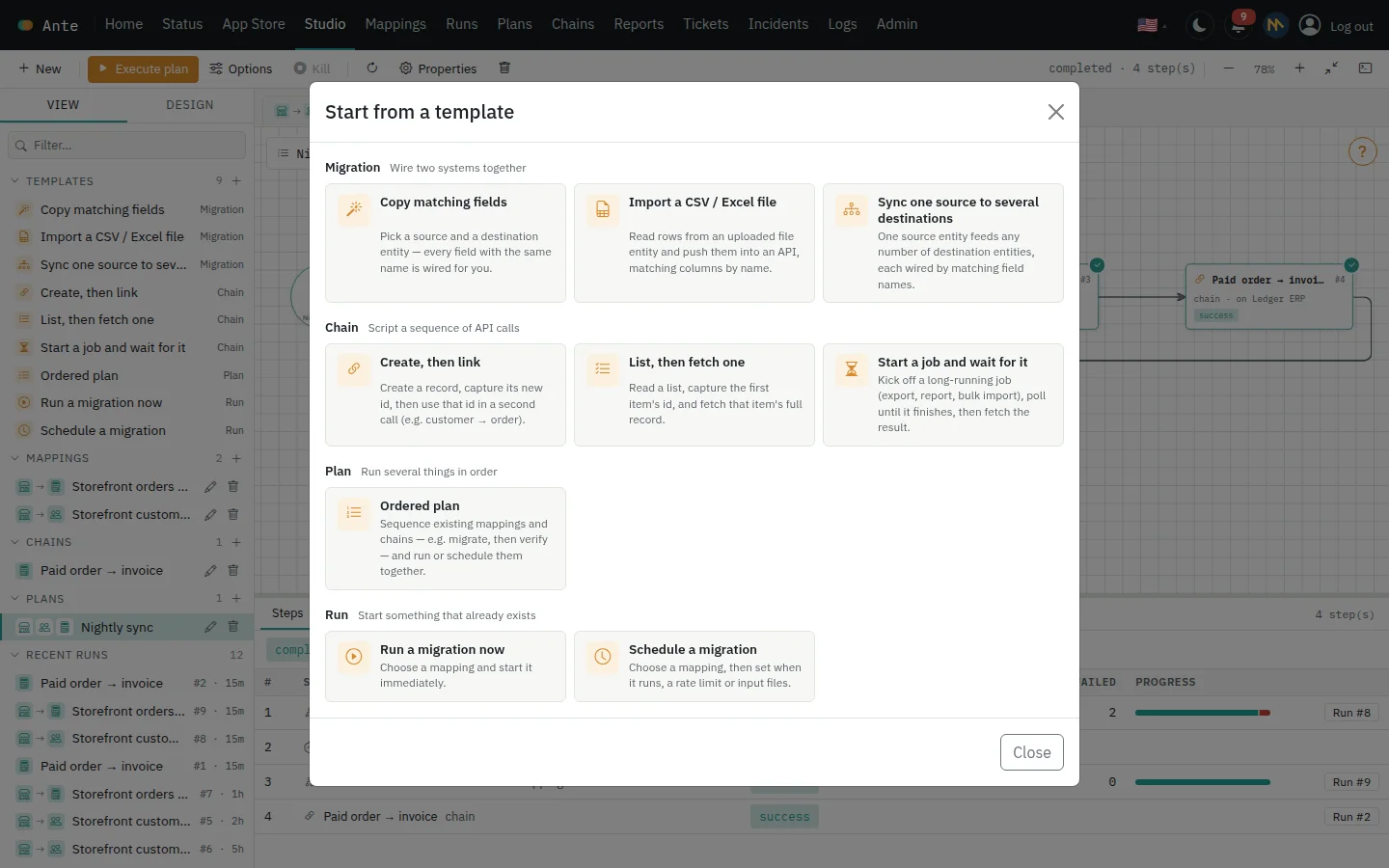
Copy matching fields, import a spreadsheet, fan one source out to several systems, create-then-link, or start a job and wait for it. Every template creates an ordinary mapping, chain or plan you can change freely.

  • Fields with the same name are wired for you
  • Chains come with captures and polling already filled in
  • Or begin with a single run of an existing mapping
The template gallery grouped into migrations, chains, plans and runs
Teams & permissions

Give each person exactly what they need

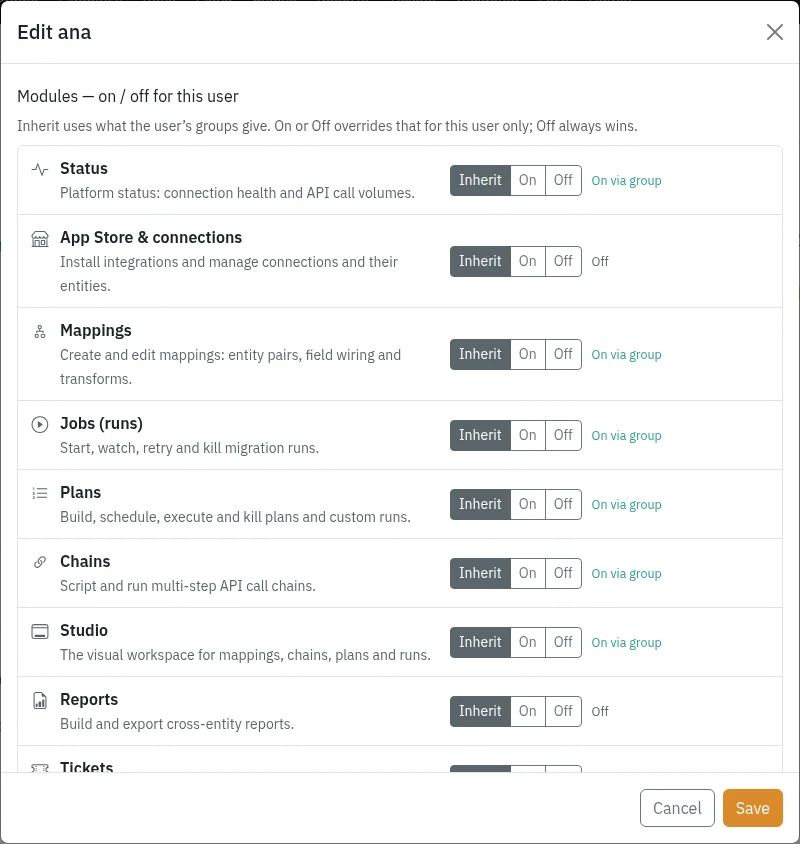
Organise people into departments and groups, then switch every module on or off — for a group, or for one person. Anyone without access sees a clear message instead of a broken page.

  • Modules: connections, mappings, runs, plans, chains, Studio, reports and more
  • Inherit from groups, or override per person — Off always wins
  • Accounts are created by your administrator: only people you add can sign in
Editing a user: every module can inherit from groups or be switched on or off
Logs & monitoring

Every API call, searchable

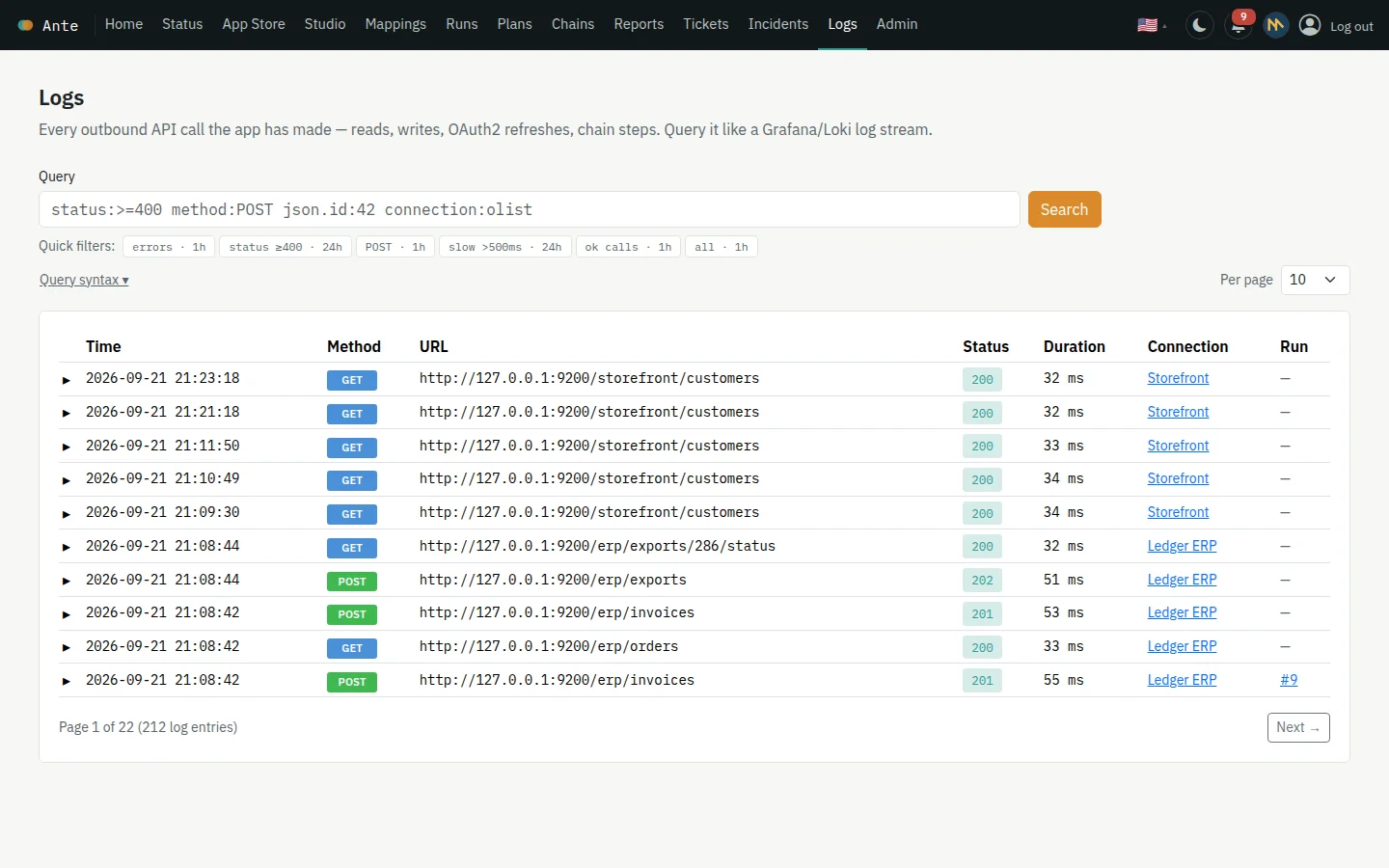
Each request Ante makes is recorded — method, URL, status, timing, headers and body. Filter it with a one-line query, follow an incident to the calls behind it, and track outages with SLAs and post-mortems.

  • Queries such as status:>=400 connection:storefront since:1h
  • Automation rules that open incidents when error rates climb
  • Tickets and incidents live next to the data flows they affect
The API call log with quick filters and a query box
Everywhere

Mobile-first, and in your language

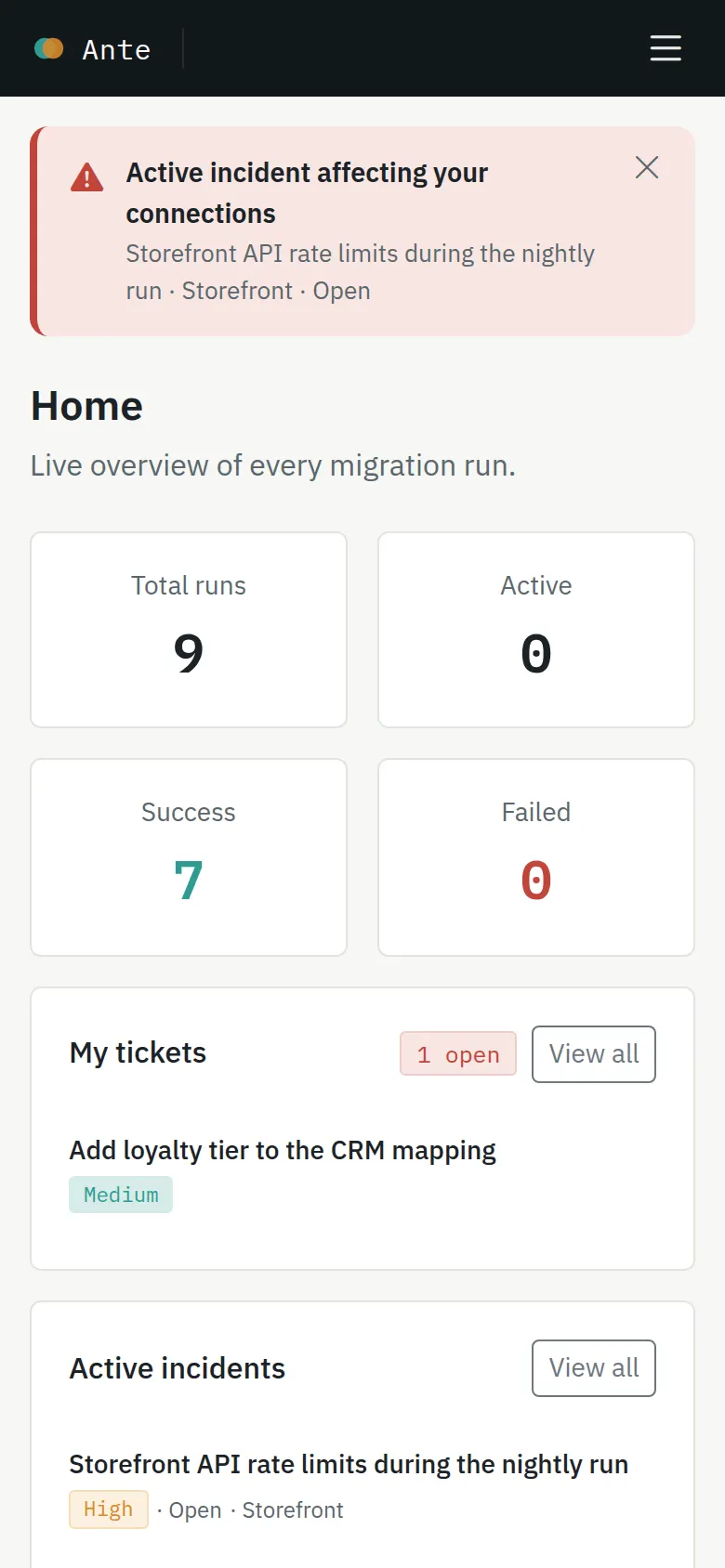
Dashboards, runs, tickets and notifications work on a phone. The whole product — every page, dialog and message — speaks English, Portuguese, Spanish, French, German, Italian, Japanese and Chinese.

  • Watch runs and read notifications from anywhere
  • Switch language any time; dates and numbers follow
  • The visual Studio asks for a desktop, where it works best
The Ante dashboard on a phone

How it works

From two systems to a running migration

  1. 1

    Connect

    Install a ready-made connector or add your own, with OAuth2, an API key, basic auth or a signed token. Or just upload a CSV or Excel file.

  2. 2

    Discover

    Ante reads an OpenAPI document, a live sample or your file and lists every entity and field — objects unfolded.

  3. 3

    Map and preview

    Wire fields on the canvas, add transforms, and check the exact payloads in the data preview.

  4. 4

    Run and watch

    Start it, schedule it or add it to a plan. Follow it live, get notified, and retry only what failed.

Security & control

Built so you stay in charge

Credentials stay secret

Tokens, API keys and passwords are encrypted at rest and never sent back to the browser. OAuth2 tokens refresh themselves.

Accounts by invitation

There is no public sign-up. Your administrator creates each account, and only those accounts can sign in.

Granular permissions

Switch modules on or off per group or per person, with a clear message wherever access is missing.

A real stop button

Kill a migration, chain or plan at any time. It stops at the next safe point, and what was written stays written.

A complete record

Every outbound call is logged and searchable, and every run keeps its history, its counts and its per-record errors.

Gentle on your APIs

Cap the request rate per connection, per plan or per step, so a big migration never trips a rate limit.

Ready to move your data?

Sign in with the account your administrator created for you.

Sign in to Ante